
Welcome to UserSearch
Hello, and welcome — we’re really glad you’re here.
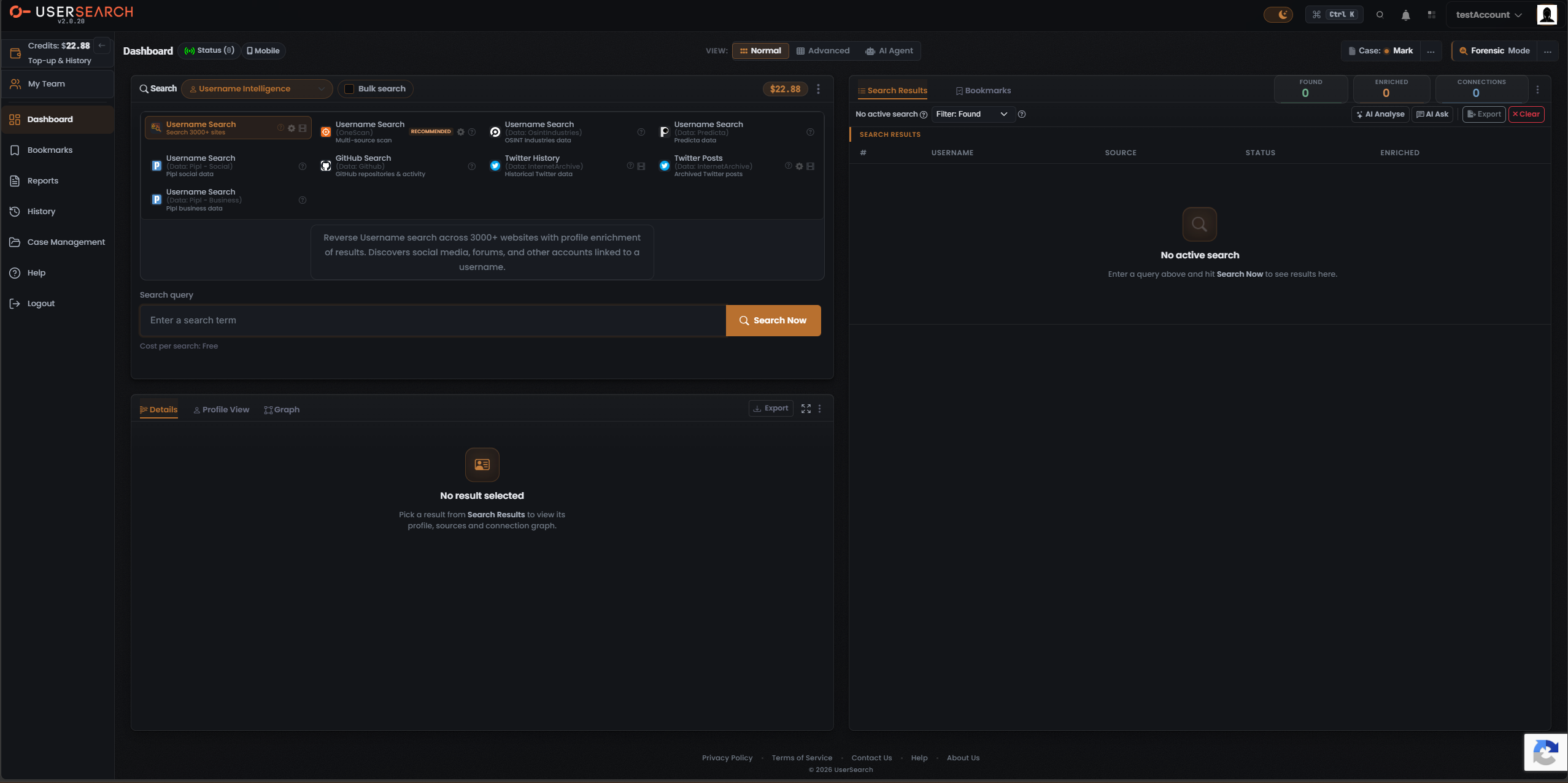
UserSearch is an OSINT (open-source intelligence) search platform. You bring one starting point — a username, an email address, a phone number, a name, a photo, a company, a domain, a crypto wallet — and UserSearch queries the right data sources for it and brings back what’s publicly held about it, all in one place. No tooling to set up, no scraping, no guesswork: pick a Search type, pick a Module, see the exact cost, and select Search Now.
Every professional data source. One account.
Section titled “Every professional data source. One account.”The datasets behind UserSearch are the same major online-investigation sources professionals already rely on — and we’ve integrated them directly into the dashboard. You don’t sign up to any of them separately: one UserSearch account gains you access to all of our integrations, with the accounts, access, and plumbing handled entirely by us.
We’re unique in how we do it, too. We bulk-purchase access to this data, and the volume discounts we earn are handed straight to you — so running a third-party service through UserSearch is often more cost-effective than going to that service direct. And where each of those services would normally charge you its own monthly fee on top, with us it’s simple: one fee, all access.
Who UserSearch is for
Section titled “Who UserSearch is for”Honestly? Anyone with a genuine reason to look someone — or something — up:
- Checking on someone for your own peace of mind. Vetting a dating match, an online buyer or seller, or someone else you’re about to deal with in person. You don’t need any OSINT experience: the docs and the product both default to the simplest safe path.
- Tightening up your own operational security. Run your own username, email, and phone number through the platform and see exactly what’s publicly exposed about you — then lock it down knowing precisely what’s out there.
- Working investigators. Private investigators, fraud and AML analysts, trust & safety teams, journalists, and cyber-threat researchers who need coverage, fast pivots, and output they can defend. UserSearch puts named, documented data sources behind every Module so you always know what you’re trusting.
- Teams and the people who run them. Team leads and account owners get seat management, spend control, case sharing with security controls, and a search-and-login audit trail.
Wherever you fit, one thing is true for everyone: results describe real people. Please read Privacy and responsible use early — it’s short, and it matters.
Who we are
Section titled “Who we are”UserSearch spent 18 months in early Alpha at usersearch.io — that service is now deprecated (if you had an account there and want to transfer it, email us at [email protected] and we’ll move it across). Today we’re at Beta 2.0.20: 99% of bugs resolved, every originally-planned feature shipped — plus much, much more.
And we don’t sit still. We update the platform constantly, with new features landing most weeks. This documentation is versioned against the release it describes, so what you read here is what you’ll see on screen.
If anything surprises you — a bug, a question, an idea — tell us at [email protected]. We read it.
Free and Premium
Section titled “Free and Premium”There are two ways to run UserSearch: a free plan to get started, and a Premium Membership subscription for regular and professional use. Many searches are free to run, others have a fixed per-search price, and multi-source searches show a dynamic range — and whichever you pick, the cost is shown before you click, every time. Paid searches draw on Credits, which you can top up one-off or automatically.
That’s genuinely all you need to know on day one. When you’re ready: Credits & pricing explains the model in plain words, and Top up credits covers paying for more.
What you get
Section titled “What you get”Everything below is documented in this Wiki, feature by feature:
- Search — 17 Search types covering usernames, emails, phones, people, companies, images & faces, leaks & breaches, crypto, infrastructure, and more, backed by roughly 80 Modules and our integrated data sources. Where a Search type offers OneScan, one search fans out across several data sources at once — it’s the recommended starting point.
- SargeBot, our AI Agent — S.A.R.G.E. helps you build searches, chat through your findings, and analyse result sets with AI Analyse & AI Ask. You choose the AI provider and model it runs on.
- Bulk Search — run one Module across a whole list of inputs in a single pass.
- Cases & Forensic Mode — organise work into cases, share them on your terms, and enable Forensic Mode before you collect when the work needs to stand up to scrutiny.
- Reports & exports — turn results into a deliverable you can hand over, plus bookmarks and a search & login history.
- Teams — seats for your whole team, with billing and account controls in one place.
Start here
Section titled “Start here”- New? Run your first search in 5 minutes — free, no Credits spent.
- Not sure which search to run? Choose the right Search type.
- Want the lay of the land? How UserSearch works — Search types, Modules, and data sources.
- Prefer a path for your role? First-timer, investigator, or team admin.
- Version: Beta 2.0.20
- Quick links: Privacy Policy · Terms & Conditions
- Support: [email protected]