
Choose the right module
Every search in UserSearch starts the same way: you have one identifier — a username, an email, a phone number, an image, a domain, a wallet address — and you need to point it at the right search. This page turns that identifier into a Search type, then a Module, and shows you the cost before you click.
The whole decision is three steps:
- Identify what you hold. The type of identifier decides the Search type.
- Pick the Search type. Selecting a Search type reveals its Modules in the grid.
- Choose the Module — start with OneScan where it exists. Read the Cost per search line, then run Search Now.
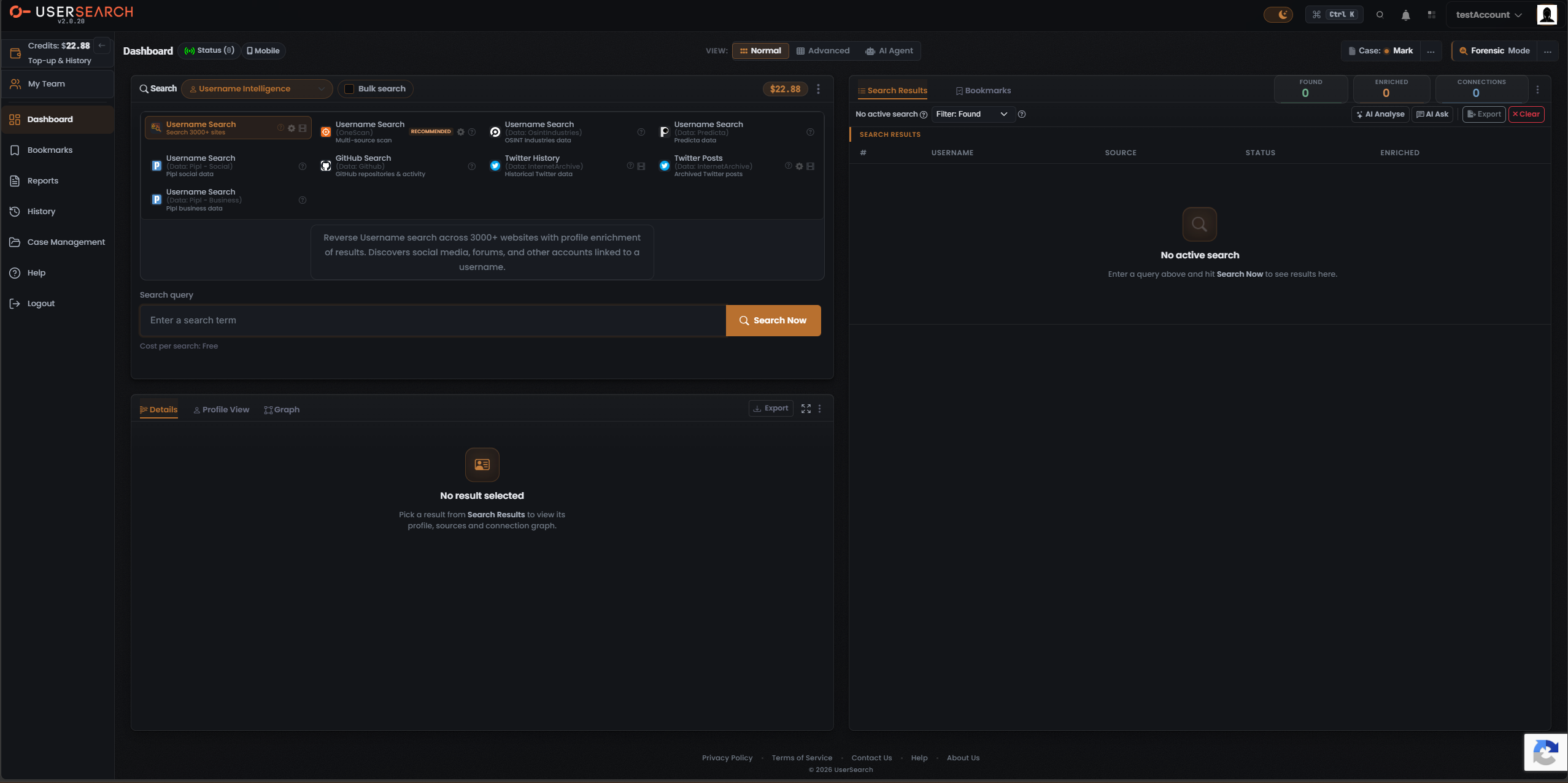
Step 1 - 2: match your identifier to a Search type
Section titled “Step 1 - 2: match your identifier to a Search type”Find the identifier you hold in the left column. That row gives you the Search type to select in the composer header, a suggested Module to start with, and the cost observed for that Search type’s default-selected Module.
| You hold… | Search type | Start with this Module | Observed cost (default Module) |
|---|---|---|---|
| A username or handle | Username Intelligence | Username Search (OneScan) | Free (default: Username Search, 3000+ sites) |
| An email address | Email Intelligence | Email (OneScan) | Free (default: Reverse-Email Fast) |
| A phone number | Phone Intelligence | Phone (OneScan) | $0.40 (default: Background Check US) |
| A person’s name / contact / location | People Intelligence | People (OneScan) | $1.00 (default: Person, Pipl – Social) |
| A company name | Corporate Intelligence | Company Search (OpenCorporates) | $0.50 |
| An IP address / host / exposed device | Cyber Intelligence | IP Host Lookup (Shodan) | $0.20 |
| A product / market / patent query | Product Intelligence | Product Trends (Google Trends) | Free |
| Telegram text, user or channel | Chat Messaging | Telegram Chat Messages | $0.50 |
| A Reddit username | Public Forums | Reddit User (Intel AI) | $0.20 |
| An image or face | Picture | Image (OneScan) | Free (default: Fake Image Check) |
| A crypto wallet address | Cryptocurrency | Address Lookup | Free |
| A vehicle registration | Vehicle Lookup | Vehicle Lookup (UK Only, Enriched) | $5.00 |
| An IP / email / domain to check for threats | Threat Intelligence | Computer/IP Threat (HudsonRock) | Free |
| A WiFi / Bluetooth network ID | Wireless Device | Bluetooth by BSSID (WiGLE) | $0.40 |
| A domain name | Website Forensics | Website Domain Ownership (by Domain) | Free |
| Anything possibly in a breach / leak | Public Leaks | Public Leaks (OneScan) | $0.20 (default: IntelX) |
| A name/phrase for court records | Court Records | Court Records (OneScan) | $0.60 · dynamic (0.12–0.60) |
That is the full set of 17 Search types at v2.0.20.
Step 3: choose the Module and read the cost before you click
Section titled “Step 3: choose the Module and read the cost before you click”Once a Search type is open, the Module grid appears — each Module is a card that runs one search against a specific data source (or, for OneScan, several data sources at once). Selecting a card loads its description, its query form, and its Cost per search line directly beneath the query input. The cost updates to match whichever Module is selected, so you always see the price for the exact search you are about to run.
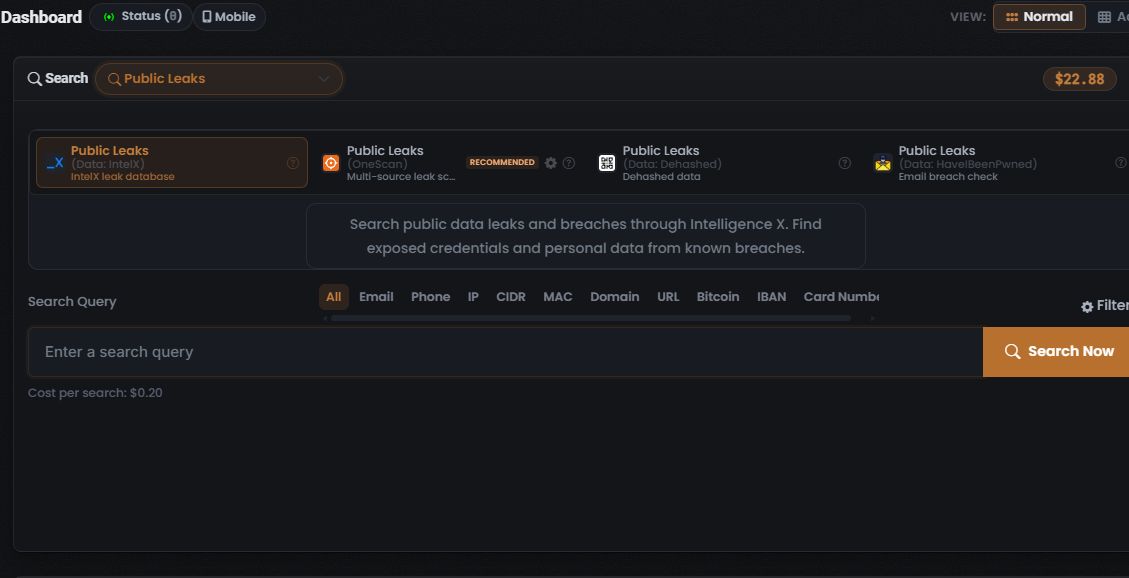
Reading the card:
- Title (bold first line) is the Module name.
- The greyed sub-label names the data source behind it, usually as “(Data: <data source>)”.
- The Cost per search line below the query input tells you what it will cost.
- A RECOMMENDED badge marks the OneScan Module.
The three cost tiers
Section titled “The three cost tiers”Costs are denominated in Credits and debited when a paid search runs. Every price falls into one of three tiers (per Lee, 2026-07-08):
- Free — 0 Credits. Several default Modules are free, including Username, Email, Product, Picture, Cryptocurrency, Threat and Website Forensics.
- Fixed — a single, set per-search amount for a single-source or search type-priced Module. Whole Search types such as Vehicle Lookup are fixed-price ($5.00).
- Dynamic — a variable amount shown as a range. This is how OneScan is priced: the charge is the sum of the data sources left toggled on in its Choose Data Source modal, so the total moves as you enable or disable sources. Example: a OneScan cost line reading “$1.20 | Dynamic (0.50 - 1.20)”.
Why start with OneScan, and how to control its cost
Section titled “Why start with OneScan, and how to control its cost”OneScan is the vendor-recommended starting point in any Search type that offers it, because it gives the widest coverage from a single input. Its dynamic price is simply the running sum of the data sources you leave enabled, so it is also the easiest cost to control:
- Select the OneScan Module.
- Click its gear icon to open the Choose Data Source modal.
- Each data source row shows its own per-search cost and a checkbox; the Total cost line sums the enabled data sources.
- Toggle data sources off to lower the cost and narrow coverage, or leave them on for the broadest search, then Apply Filters.
This is the lever for trading coverage against spend: fewer data sources means a lower Cost per search; more data sources means broader results.
When a Search type has no OneScan
Section titled “When a Search type has no OneScan”Ten Search types do not offer a OneScan Module — Corporate, Cyber, Product, Chat Messaging, Public Forums, Cryptocurrency, Vehicle Lookup, Threat, Wireless Device and Website Forensics. In these, pick the single-source Module that matches your goal directly. A few are single-source throughout: Cyber Intelligence runs entirely on Shodan (12 Modules) and Wireless Device entirely on WiGLE (6 Modules), so there your choice is which lookup, not which data source.
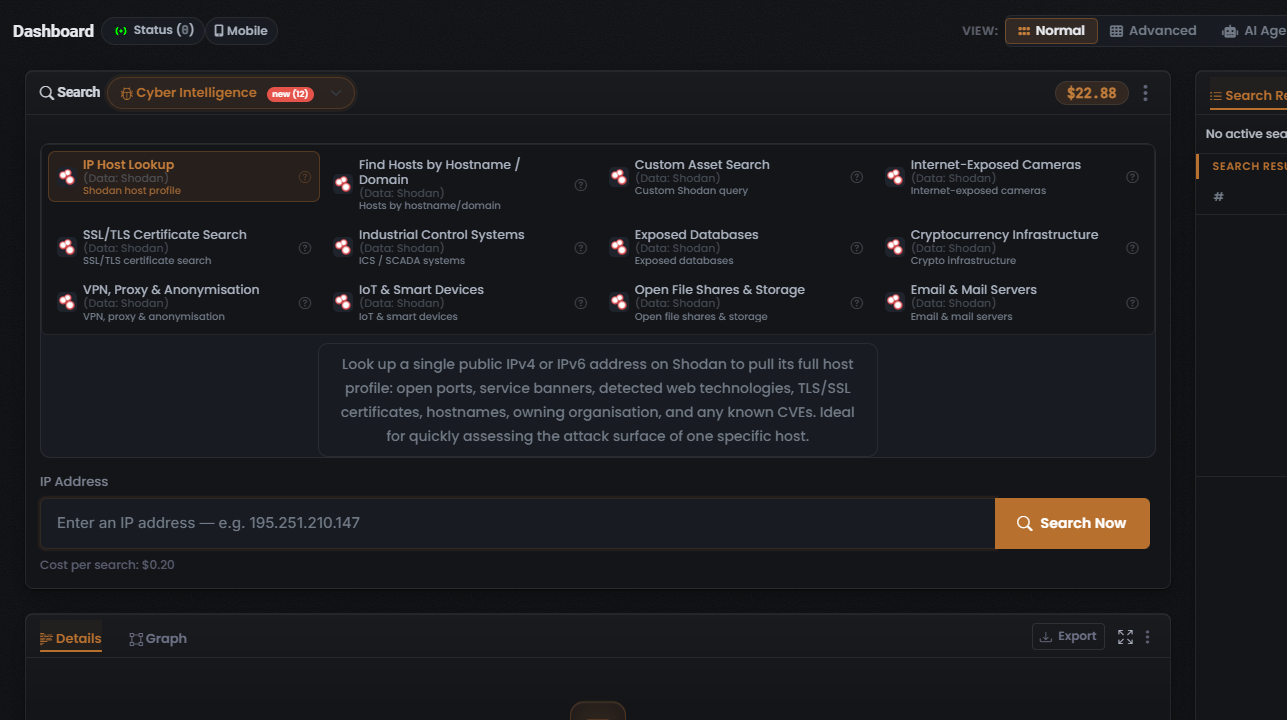
Quick recap
Section titled “Quick recap”- Let the identifier you hold pick the Search type (Step 1–2 table).
- Inside the Search type, start with OneScan if it exists; otherwise pick the single-source Module that matches your goal.
- Read the Cost per search line — free, fixed or dynamic — before you click Search Now.
- For OneScan, use Choose Data Source to trade coverage against cost.
Verified against UserSearch v2.0.20