
Username search: overview
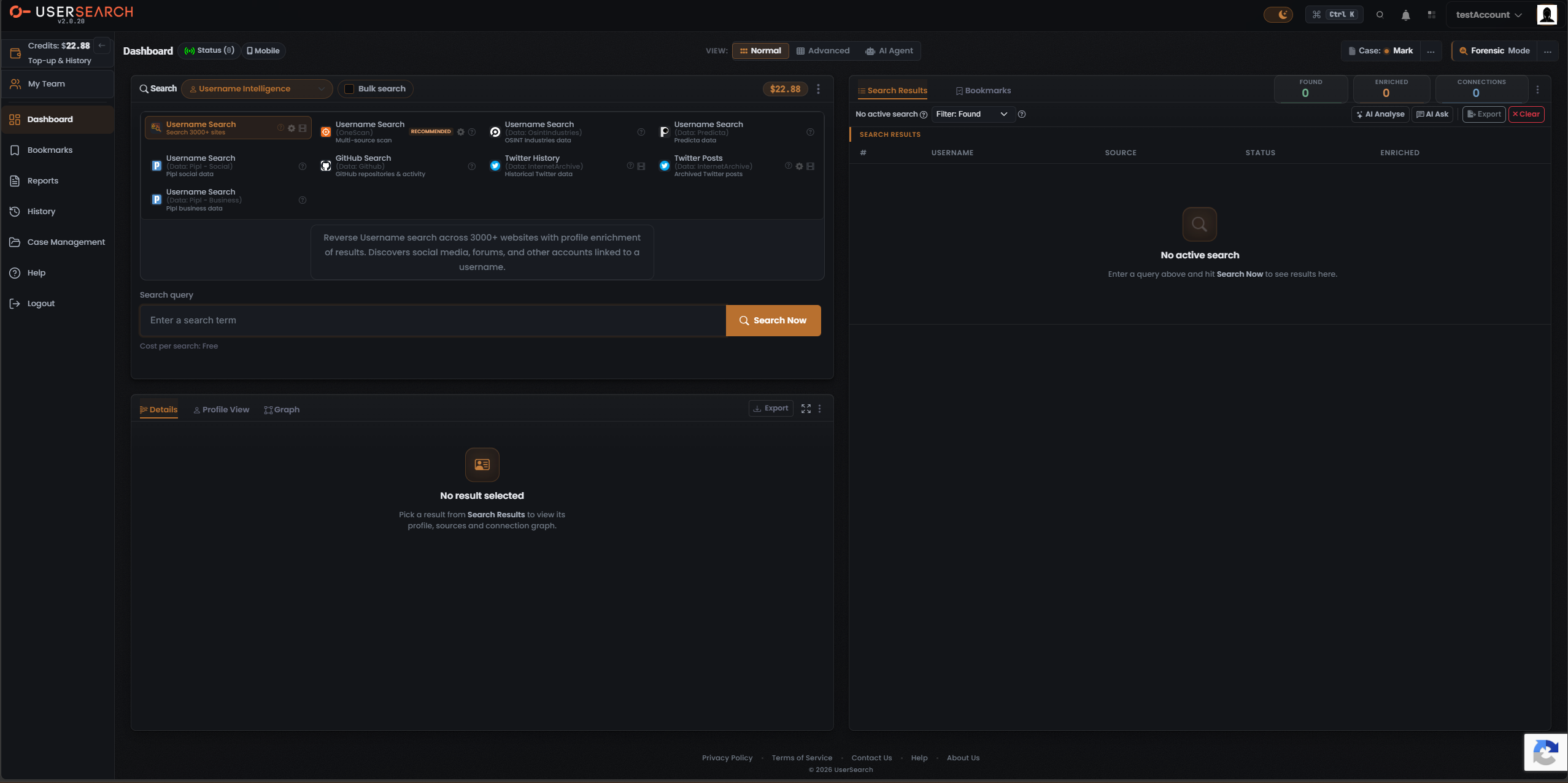
The Username Intelligence search type takes a username or handle and finds where that identifier exists across the web — social media, forums, and other accounts — pulling back profile enrichment where a data source has it. It is the core “who is behind this handle” search, and the natural starting point when your lead is a username rather than an email, phone number, image, or other identifier.
When to use it
Section titled “When to use it”Reach for Username Intelligence when you hold a handle and want to:
- Sweep thousands of sites for accounts using that username (the Username Search (3000+ sites) Module).
- Fan one handle across several data sources at once and compare the results side by side (the OneScan Module — the recommended starting point).
- Query a specific data source directly — OSINT Industries, Predicta, Pipl, GitHub, or the Internet Archive (the single-source Modules).
This search type exposes nine Modules. For the full breakdown of each — its data source, cost, and what it returns — see Username modules & options.
The end-to-end flow
Section titled “The end-to-end flow”Username Intelligence follows the same search composer flow as every other search in UserSearch — see How UserSearch works for the general model.
- In the composer header, open the Search type selector (the dropdown with a chevron) and choose Username Intelligence (shown with a person icon). The active search type is drawn in the coral-orange accent colour.
- Pick a Module from the grid. The grid is single-select: the chosen tile is drawn with a coral-orange border, and selecting one deselects the others. Selecting a tile loads its description, its Cost per search line, and its query form. OneScan is badged RECOMMENDED — start there for the broadest coverage.
- (Optional) configure the data source. Modules that carry a gear icon open a Choose Data Source modal. For Username Search (3000+ sites) it narrows which sites are swept; for OneScan it selects which data sources run (and sets the dynamic cost). See Username modules & options.
- Enter the username in the query field (labelled Search query for the 3000+ sites Module, Username for OneScan; the placeholder is “Enter a search term”).
- Confirm the Cost per search line beneath the input, then select Search Now (the coral-orange button with a magnifier icon).
What it costs
Section titled “What it costs”Every Module shows its price on a Cost per search line, denominated in Credits, drawn from your main (Global) search-credits pool. Costs fall into three tiers (per Lee, 2026-07-08):
- Free — Username Search (3000+ sites) is free (0 Credits).
- Fixed — a single set amount, e.g. Username Search (Data: Predicta) at $0.50 and (Data: OsintIndustries) at $0.70.
- Dynamic — a range whose charge is the sum of the data sources left toggled on. OneScan is dynamic, captured as “$1.20 | Dynamic (0.50 - 1.20)”.
See Credits & pricing for the full cost model.
What you get back
Section titled “What you get back”Running a search populates the Search Results panel on the right, with the standard header counters — Found (green), Enriched (orange), and Connections (white) — over a results table whose columns adapt to the Module you ran, plus a Details panel for the selected row. A username sweep typically reports a large Found count with a subset marked Enriched where the data source returned profile-level metadata.
For how to read and verify those results, see Reading Username results and the general concept Found, Enriched & Connections.
Related: Username modules & options · Reading Username results · OneScan · Credits & pricing
Verified against UserSearch v2.0.20